When to Buy a MacBook and When to Buy a Windows Laptop
Confused between buying a MacBook or a Windows laptop? This detailed guide explains real-world differences in performance, battery life, software, upgrades, gaming, and long-term value to help you choose the right one.
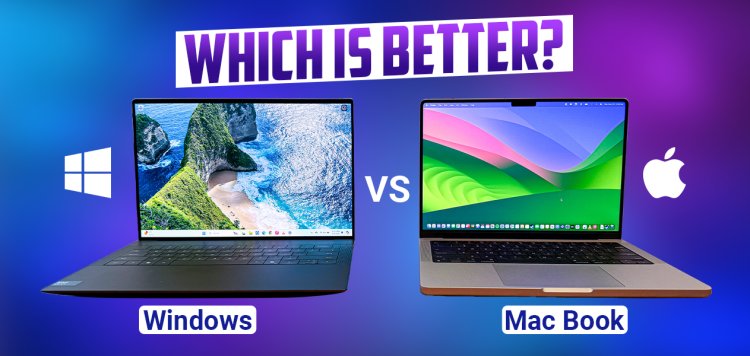
When to Buy a MacBook and When to Buy a Windows Laptop
Choosing between a MacBook and a Windows laptop is not about which one is “better”. It is about which one fits your usage, workflow, and expectations.
This guide explains the differences in a practical, real-world way — without brand bias — so you can make a confident decision before spending your money.
Design Philosophy: Closed Ecosystem vs Open Platform
MacBooks are designed as a tightly controlled ecosystem where hardware and software are optimized together. Windows laptops, on the other hand, exist in a wide open ecosystem with countless hardware choices.
| Aspect | MacBook | Windows Laptop |
|---|---|---|
| Ecosystem | Closed and controlled | Open and flexible |
| Hardware variety | Limited models | Very wide range |
| User control | Minimal customization | High customization |
Performance: Optimization vs Raw Hardware Choice
MacBooks focus on efficient, consistent performance. They perform very well in tasks like coding, creative work, and everyday productivity.
Windows laptops cover everything from entry-level machines to extreme performance gaming and workstation laptops.
- MacBook: Stable performance, excellent optimization
- Windows: Wider performance range, more powerful options available
Battery Life & Power Efficiency
One of the biggest advantages of modern MacBooks is battery efficiency. They maintain consistent performance even when unplugged.
Windows laptops vary significantly — some offer excellent battery life, while others sacrifice it for performance.
| Battery Aspect | MacBook | Windows Laptop |
|---|---|---|
| Real-world battery life | Excellent | Varies widely |
| Performance on battery | Stable | Often reduced |
| Standby efficiency | Very low drain | Higher drain on many models |
Software Compatibility & Daily Workflow
MacBook works best if you:
- Do creative work (video, design, music)
- Write code or develop software
- Use iPhone, iPad, or other Apple devices
- Prefer a clean, distraction-free OS
Windows laptops work best if you:
- Use specialized or legacy software
- Work with enterprise or engineering tools
- Need maximum hardware compatibility
- Prefer customization and flexibility
Gaming & Graphics Performance
Gaming is one of the clearest dividing lines.
- MacBook: Not designed for gaming; limited game support
- Windows: Best platform for gaming and GPU-heavy tasks
If gaming or GPU-accelerated work is important, Windows laptops offer far better options.
Upgradability, Repair & Long-Term Flexibility
| Factor | MacBook | Windows Laptop |
|---|---|---|
| RAM upgrade | No | Often possible |
| SSD upgrade | No | Often possible |
| Repair cost | High | Variable |
| Customization | Limited | High |
MacBooks prioritize integration and reliability, while Windows laptops allow more freedom to upgrade and repair.
Price & Value Over Time
MacBooks usually cost more upfront but tend to hold performance and usability for many years.
Windows laptops offer better entry-level and mid-range value, with more choice across different budgets.
Decision Cheat Sheet
Buy a MacBook if:
- You value battery life and efficiency
- You do creative or development work
- You want a stable, polished experience
- You are invested in the Apple ecosystem
Buy a Windows laptop if:
- You game or need GPU power
- You want hardware variety and choice
- You prefer upgradability
- You are budget-conscious or need flexibility
Final Verdict
There is no universal winner between MacBooks and Windows laptops. Each serves a different type of user.
The right choice depends on how you work, what you value, and how long you plan to use your laptop. Understanding these differences before buying will save you money, frustration, and regret.
What's Your Reaction?