ASUS ROG Strix vs ASUS ROG Zephyrus: Full Comparison & Buyer Guide
Confused between ASUS ROG Strix and ROG Zephyrus laptops? This detailed comparison explains performance, thermals, portability, battery life, and real-world usage to help you choose the right one.
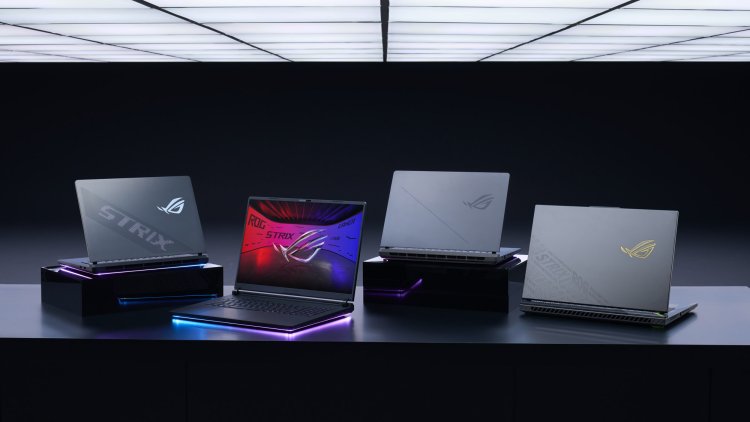
ASUS ROG Strix vs ASUS ROG Zephyrus: Full Comparison & Buyer Guide
ASUS offers two powerful but very different gaming laptop families: ROG Strix and ROG Zephyrus. While both target high-performance users, their design philosophy, thermal limits, and daily usability are completely different.
This guide breaks down the real differences between ROG Strix and ROG Zephyrus — beyond marketing terms — so you can choose the right laptop for your actual usage.
Design Philosophy: Power vs Balance
| Aspect | ROG Strix | ROG Zephyrus |
|---|---|---|
| Primary focus | Maximum raw performance | Performance + portability |
| Chassis size | Large and thick | Slim and compact |
| Weight | Heavy | Lightweight |
| Portability | Desk-focused | Travel-friendly |
CPU Performance & Power Limits
ROG Strix laptops typically use high-wattage H or HX-class processors designed to sustain heavy workloads for long durations. These CPUs are allowed to draw more power, resulting in higher sustained performance.
ROG Zephyrus laptops use carefully tuned high-performance CPUs that balance power consumption and thermals. They boost aggressively when needed but prioritize efficiency during everyday use.
- Strix: Better for long gaming and rendering sessions
- Zephyrus: Better for mixed work, meetings, and gaming
GPU Power & Thermal Headroom
The most important difference is not the GPU model name, but GPU wattage (TGP).
| GPU Aspect | ROG Strix | ROG Zephyrus |
|---|---|---|
| GPU power limit | High TGP | Moderate TGP |
| Thermal headroom | Excellent | Controlled |
| Peak gaming FPS | Higher | Slightly lower |
| Sustained performance | Very strong | Optimized |
A lower-tier GPU in a ROG Strix laptop can often outperform a higher-tier GPU in a thin laptop due to higher sustained power delivery.
Display Quality & Use Case
ROG Strix displays prioritize high refresh rates, making them ideal for competitive gaming.
ROG Zephyrus displays focus on color accuracy, brightness, and premium panels, making them suitable for creators and professionals.
- Strix: Gaming-first experience
- Zephyrus: Gaming + content creation
Battery Life & Daily Usability
ROG Strix laptops are designed with the assumption that they will mostly be used while plugged in. Battery life exists, but it is not a priority.
ROG Zephyrus laptops are optimized for unplugged usage, offering significantly better battery life for browsing, work, and media consumption.
Keyboard, Trackpad & Build Quality
| Feature | ROG Strix | ROG Zephyrus |
|---|---|---|
| Keyboard size | Large, gaming-oriented | Compact, premium feel |
| Trackpad | Standard | Large and precise |
| Aesthetics | Aggressive gaming design | Clean and professional |
Who Should Buy Which?
Choose ROG Strix if:
- You want maximum gaming performance
- Your laptop stays mostly on a desk
- Thermals and FPS matter more than weight
- You do long gaming or rendering sessions
Choose ROG Zephyrus if:
- You need portability
- You work and game on the same device
- You care about battery life
- You prefer a subtle premium design
Final Verdict
ROG Strix and ROG Zephyrus serve completely different audiences. One is built for raw power, the other for intelligent balance.
Choose based on how you use your laptop, not just specifications on paper.
What's Your Reaction?