Mac Mini vs Mac Studio: Who Should Actually Upgrade?
Confused between Mac Mini and Mac Studio? This in-depth comparison breaks down specs, ports, performance, thermals, and real-world workloads to help you decide which one actually makes sense.
Mac Mini vs Mac Studio: Who Should Actually Upgrade?
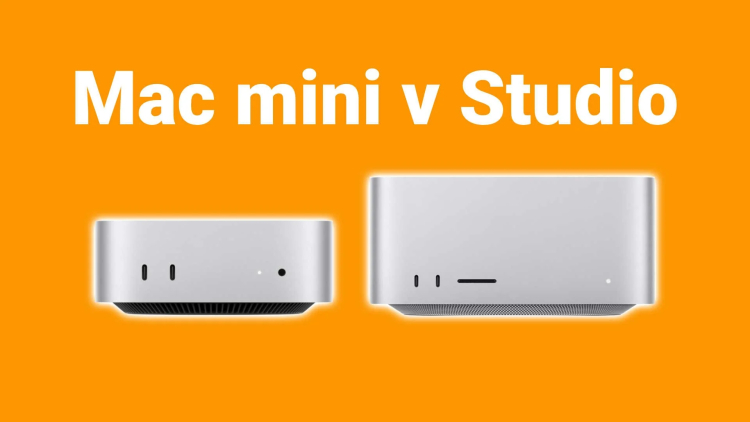
Apple offers two compact desktop machines that look similar on the surface but serve very different users: Mac Mini and Mac Studio.
This guide goes beyond basic specs and explains where each machine wins, where it falls short, and who should genuinely consider upgrading.
Positioning: What Apple Designed Them For
- Mac Mini: Compact, efficient desktop for everyday to moderately heavy work
- Mac Studio: Workstation-class desktop for sustained professional workloads
Complete Specification Comparison
| Feature | Mac Mini | Mac Studio |
|---|---|---|
| Chip Options | M2 / M2 Pro | M2 Max / M2 Ultra |
| CPU Cores | Up to 12-core CPU | Up to 24-core CPU |
| GPU Cores | Up to 19-core GPU | Up to 76-core GPU |
| Unified Memory | Up to 32 GB | Up to 192 GB |
| Memory Bandwidth | Up to 200 GB/s | Up to 800 GB/s |
| Storage | Up to 8 TB SSD | Up to 8 TB SSD |
| Cooling System | Single-fan compact cooling | Large dual-fan workstation cooling |
| Sustained Performance | Moderate | Excellent |
| Ports (Front) | None | USB-C / Thunderbolt |
| Ports (Rear) | Thunderbolt, HDMI, USB-A | Thunderbolt, USB-A, HDMI, Ethernet |
| Ethernet | 1 Gb / optional 10 Gb | 10 Gb standard |
| External Displays | Up to 3 displays | Up to 8 displays |
| Size & Weight | Smaller & lighter | Taller & heavier |
Performance Differences in Real Workloads
Where Mac Mini Performs Well
- Office work & productivity
- Web development
- Light photo & video editing
- Programming and scripting
Where Mac Mini Starts to Struggle
- Long 4K/8K video exports
- Heavy 3D rendering
- Large Xcode builds
- Multi-hour sustained workloads
Where Mac Studio Dominates
- Professional video editing
- 3D animation & rendering
- Music production with massive projects
- Scientific computing & simulations
- Multiple high-resolution displays
Thermals: The Real Upgrade Reason
The biggest difference is not raw specs — it is cooling. Mac Studio is designed to run at full power for hours without throttling, while Mac Mini prioritizes silence and compact size.
If your workload is continuous, Mac Studio will finish jobs faster and maintain stable performance.
Who Should Buy Mac Mini?
- You want a compact desktop
- Your workloads are burst-based
- You do not exceed 32 GB RAM needs
- You value efficiency over raw power
Who Should Upgrade to Mac Studio?
- You regularly push CPU and GPU for long periods
- You need more than 32 GB unified memory
- You run professional creative or technical software
- You use multiple high-resolution monitors
Cost vs Value
Mac Mini offers excellent value for most users. Mac Studio costs more, but delivers workstation-class performance that can replace much larger desktop systems.
Upgrading only makes sense if your work can actually use the extra power.
Final Verdict
Mac Mini is the smarter choice for most users. Mac Studio is the right choice for professionals who already know their workflows demand more.
If you are not hitting performance limits today, you likely do not need to upgrade yet.
What's Your Reaction?