Laptop Specs That Actually Matter — and the Ones That Don’t
Laptop spec sheets are full of numbers, but not all of them matter. This detailed guide explains which laptop specifications truly impact performance and which ones are mostly marketing.
Laptop Specs That Actually Matter — and the Ones That Don’t
Laptop buyers are often overwhelmed by spec sheets filled with numbers, acronyms, and buzzwords. Unfortunately, many of these specifications look impressive but make little difference in real-world usage.
This guide separates meaningful specifications from marketing noise, so you can choose a laptop based on performance, longevity, and actual user experience — not hype.
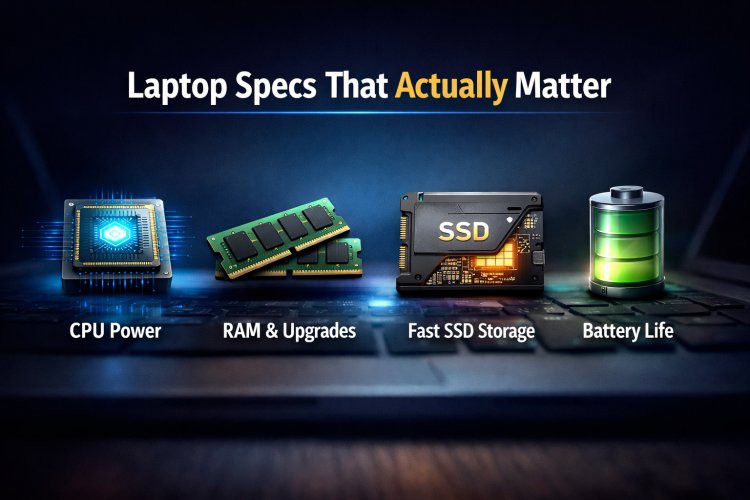
Specs That ACTUALLY Matter
1. CPU Class (Not Just the Name)
The processor family and power class matter far more than the brand name. A lower-tier CPU with higher power limits can outperform a higher-tier CPU running at restricted wattage.
- U-series: efficiency-focused, long battery life
- H / HS / HX-series: performance-focused, higher sustained power
Always consider power limits and cooling, not just CPU branding.
2. RAM Type, Capacity & Upgradability
RAM affects multitasking, system responsiveness, and long-term usability.
- 8 GB: minimum acceptable in 2026
- 16 GB: ideal for most users
- DDR5: higher bandwidth
- LPDDR: efficient but usually non-upgradable
Upgradability matters more than raw speed for long-term ownership.
3. Storage Type (SSD Matters More Than Size)
A fast SSD dramatically improves boot time, app loading, and overall system feel.
- SATA SSD: good upgrade from HDD
- NVMe Gen3: best balance of speed and cost
- NVMe Gen4: useful mainly for heavy workloads
For everyday use, NVMe Gen3 already feels extremely fast.
4. Cooling & Thermal Design
Cooling is the most ignored specification — and one of the most important.
Two laptops with identical CPUs and GPUs can perform very differently based on:
- Heatsink size
- Fan design
- Internal airflow
- Chassis thickness
Poor cooling leads to throttling, noise, and reduced lifespan.
5. Battery Efficiency (Not Just Capacity)
Battery size alone does not guarantee long battery life. Efficiency depends on:
- CPU architecture
- Display type
- Power management tuning
An efficient system with a smaller battery can outperform a poorly optimized system with a larger battery.
Specs That Are Mostly Marketing
1. Core Count Obsession
More cores do not always mean better performance. Many everyday applications do not fully utilize high core counts.
2. Clock Speed Numbers
Advertised boost clocks are short-term values. Sustained performance depends on power limits and cooling.
3. GPU Model Names Without TGP
The same GPU model can perform very differently at different power levels. Without knowing wattage, GPU names alone are misleading.
4. Camera Megapixels
Laptop webcams are limited by sensors and optics. Higher megapixels rarely translate into better video quality.
5. “AI Ready” Stickers
Many laptops advertise AI features that offer little real-world value for most users today.
Real-World Buyer Scenarios
| User Type | What Matters Most |
|---|---|
| Students | Battery life, RAM, reliability |
| Office Users | Comfort, stability, SSD speed |
| Creators | CPU power, RAM, display quality |
| Gamers | GPU wattage, cooling, refresh rate |
| Travelers | Weight, efficiency, battery life |
Final Checklist Before Buying
- Check CPU power class, not just name
- Ensure at least 16 GB RAM or upgradability
- Prefer NVMe SSDs
- Research cooling performance
- Ignore unnecessary marketing labels
Final Verdict
Smart laptop buying is about understanding priorities, not memorizing specifications. By focusing on what truly impacts performance and longevity, you can avoid overspending and regret.
A well-balanced laptop always beats an impressive spec sheet with poor execution.
What's Your Reaction?